Usage & limits
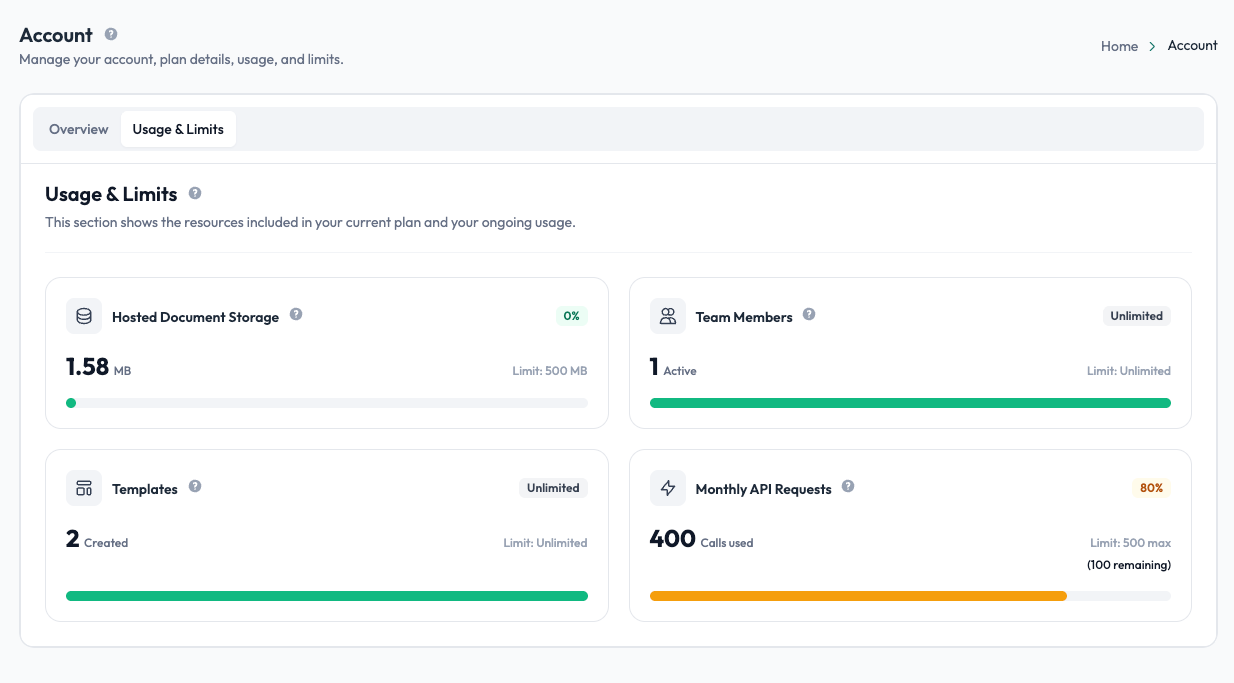
The Usage & Limits page shows your current plan and how much of each limited resource your account is using. You can access it under Account & Billing → Usage & Limits.
What's included
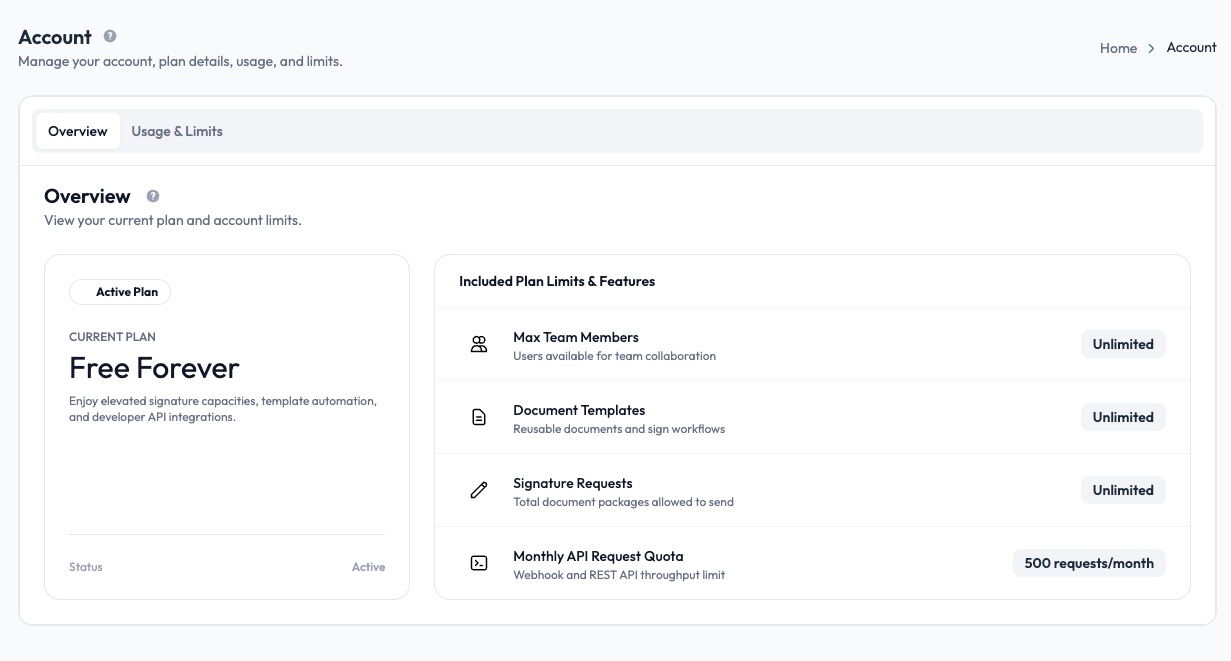
Undersign's default plan provides:
| Resource | Default limit |
|---|---|
| Users / seats | Unlimited |
| Templates | Unlimited |
| Signature requests | Unlimited |
| Hosted document storage | 500 MB |
| API requests | 500 requests per month |
Your current usage is displayed against the applicable limit. For unlimited resources, there is no fixed usage cap.
Hosted document storage
Undersign provides 500 MB of hosted document storage for files stored in your account.
The storage limit is in place as part of our fair usage policy and to help protect the availability and performance of the service for all users.
Storage can include documents uploaded to Undersign and completed documents retained in your account. If you approach the limit, review your stored files and remove documents you no longer need.
API request quota
API usage is limited to 500 requests per month under the default plan. The Usage & Limits page shows how much of your monthly quota has been used and how much remains.
This limit applies to requests made through the Undersign API; normal activity through the Undersign web application is not counted as API usage.
Monitoring your usage
The page displays usage visually so you can quickly see how much of a limited resource has been used.
For example:
- Templates: shows the number of templates created against your template limit.
- Users: shows the number of users currently in the account against the available seats.
- Hosted storage: shows the amount of storage currently being used.
- API requests: shows API requests used during the current monthly quota period.
Most resources are unlimited. The main limits on the default plan are 500 MB of hosted storage and 500 API requests per month.