
Email & SMTP
Undersign uses your own SMTP server to send signing-related emails from your account. You must configure and verify your SMTP settings before you can send documents for signature by email.
These settings are available from the account menu in the top-right corner → Account Settings → SMTP Configuration.
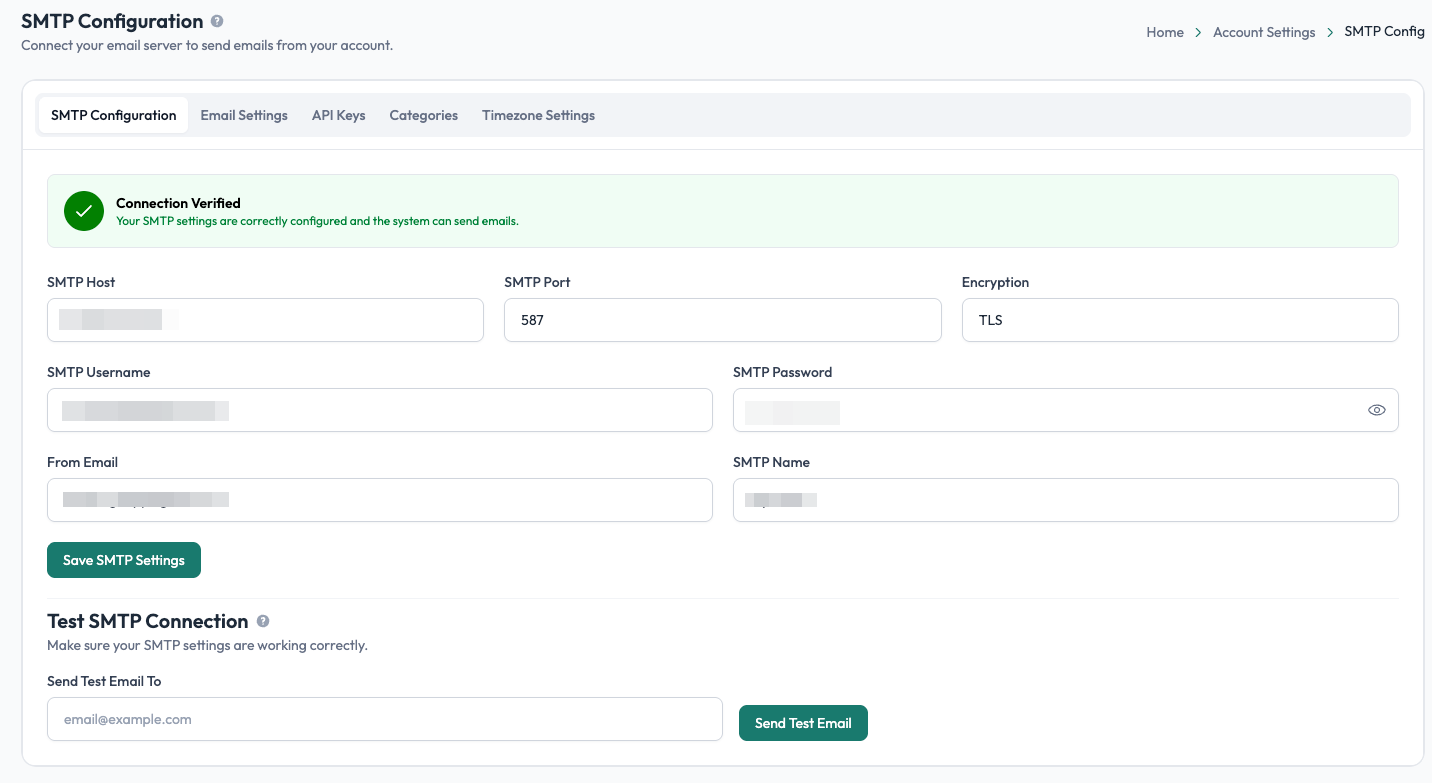
SMTP configuration
Enter the SMTP details provided by your email service provider:
| Setting | What it is |
|---|---|
| SMTP Host | The address of your email provider's SMTP server. |
| SMTP Port | The port used to connect to the SMTP server. |
| Encryption | The security method used for the SMTP connection. |
| SMTP Username | The username used to authenticate with your mail server. |
| SMTP Password | The password or app password used to authenticate. |
| From Email | The email address that will appear as the sender of Undersign emails. |
| SMTP Name | The sender name recipients will see in their email. |
Your SMTP credentials and connection details come from your email provider. If you are unsure what values to enter, check your provider's SMTP documentation.
Verify your SMTP connection
After entering your settings, select Save SMTP Settings.
Undersign will verify the connection and display the connection status. When the configuration is valid, you'll see Connection Verified, confirming that Undersign can connect to your mail server and send emails.
The page also includes Test SMTP Connection, which allows you to send a test email and confirm that your configuration is working correctly.
SMTP is required for email signing
Undersign does not provide a default email relay for your signing requests. Each account must configure its own SMTP server.
If SMTP has not been configured and successfully verified, you cannot send documents for signature via email.
This ensures that signing emails are sent through an email server controlled by your account and use the sender address you have configured.
Other account settings
The Account Settings area also contains other account-level configuration:
- Email Settings: configure email-related preferences.
- API Keys: manage API credentials for integrations.
- Categories: manage categories used to organize documents and templates.
- Timezone Settings: configure the timezone used by your account.
These settings are available from the tabs at the top of the Account Settings pages.