
Documentation
Timezone
Account & settings
Timezone settings
Your account timezone determines the timezone used for dates and times shown throughout Undersign, including signing activity and audit records.
Timezone settings are available under Account Settings → Timezone Settings.
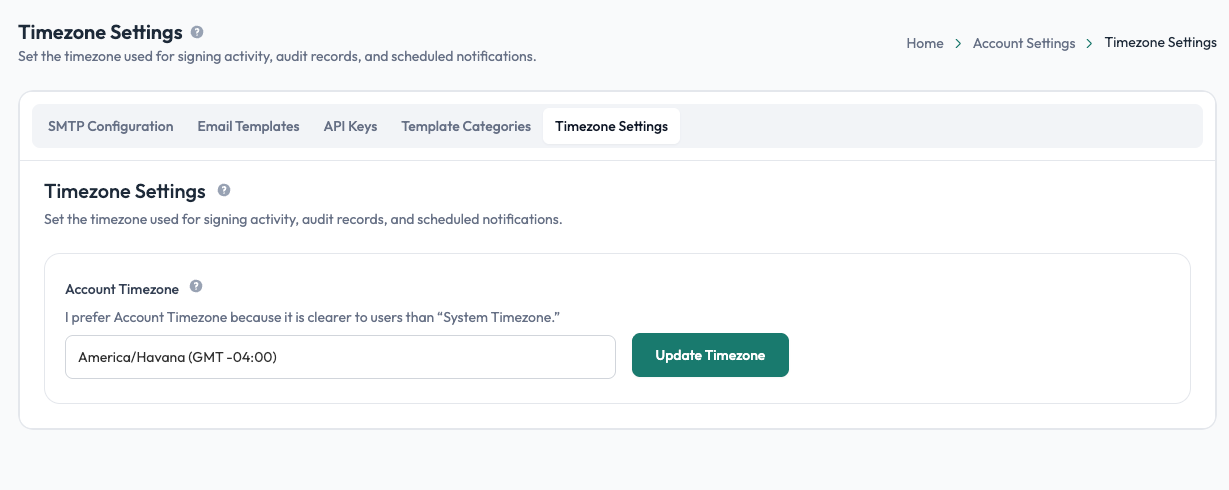
Account timezone
Select the timezone that best matches your account's location or working timezone from the Account Timezone dropdown.
The selected timezone is used when Undersign displays dates and times associated with your account and signing activity.
Updating your timezone
- Open the account menu in the top-right corner of Undersign.
- Select Account Settings.
- Open Timezone Settings.
- Select your timezone from Account Timezone.
- Select Update Timezone to save the change.
Where the timezone is used
The selected timezone is reflected in areas such as:
- Signing activity: dates and times associated with signing actions.
- Audit trails: timestamps shown for events in a signing request.
- Completion certificates: timestamps displayed for signer activity and completion.
- Document details: dates and times shown for requests and signing activity.
Changing the timezone does not change when an event actually happened. It changes the timezone used to display the recorded date and time.